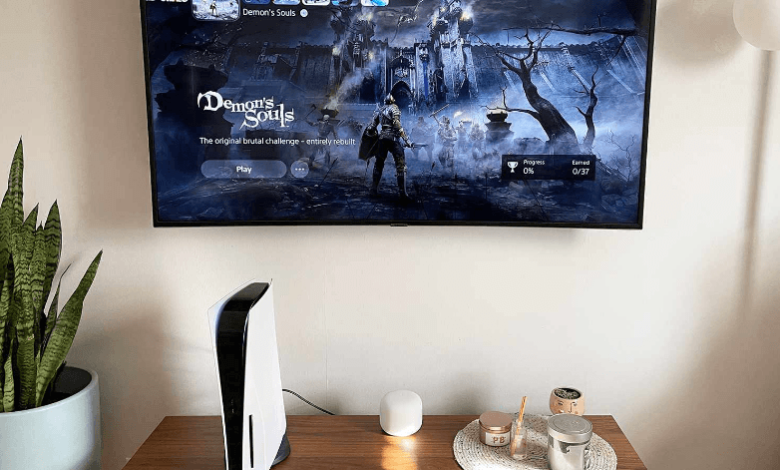
Startup failure in gaming consoles is one of the most frustrating issues for users because it prevents access to games, saved data, and system features. This problem can occur due to hardware faults, software corruption, overheating, or internal component failure. In most cases, early diagnosis and proper servicing can restore functionality without major data loss.
Understanding the root causes helps users take the right steps toward effective PlayStation repair solutions. Whether the issue is related to power, storage, or display output, identifying the symptom correctly is the first step toward recovery.
Power Supply Issues Leading to Startup Failure
Power-related problems are among the most common reasons a console fails to start. If the system does not receive a stable voltage, it may not power on or may shut down immediately after startup.
Typical symptoms include no response when pressing the power button, blinking indicators, or a sudden shutdown during boot. These issues are often caused by faulty power cables, damaged adapters, or internal power board failure.
The fix involves checking external power connections first, followed by internal power diagnostics. In advanced cases, technicians performing PlayStation maintenance and repair and maintenance replace damaged power modules or repair internal circuits to ensure stable energy flow to the system.
HDMI Port and Display Signal Problems
Sometimes the console is working internally, but no display appears on the screen. This is usually caused by HDMI port damage, loose connections, or faulty display signal transmission.
Symptoms include a black screen, a no-signal message, or distorted visuals during startup. These issues can be misleading because the system may actually be running normally in the background.
Repair solutions include HDMI port replacement, signal testing, and motherboard-level inspection. Professional PlayStation maintenance and repair ensure accurate diagnosis of video output problems and restore proper display functionality without affecting stored data.
System Software Corruption and Boot Errors
Software corruption is a major cause of startup failure and often occurs due to interrupted updates, sudden power loss, or corrupted system files.
When this happens, the console may freeze on the loading screen, restart repeatedly, or display error codes during boot. These issues prevent the system from accessing essential startup files.
Fix options include safe mode recovery, system reset, and firmware reinstallation. Expert PlayStation maintenance and repair technicians use controlled recovery methods to reinstall system software while minimizing the risk of data loss whenever possible.
Overheating and Thermal Protection Shutdown
Overheating is another common reason for startup failure, especially in systems that have not been cleaned regularly. Dust buildup, blocked airflow, and failing cooling fans can cause the system to overheat quickly.
Symptoms include loud fan noise, overheating warnings, or shutdown shortly after turning on the console. In some cases, the system may refuse to complete the boot process entirely.
Fix options include internal cleaning, fan replacement, and thermal paste reapplication. Professional PlayStation maintenance and repair ensure that the cooling system is restored to optimal condition, allowing stable temperature control during startup and gameplay.
Hard Drive or Storage Device Failure
Storage failure can directly affect startup performance because the system relies on the storage drive to load essential boot files.
Common symptoms include long loading screens, repeated restart loops, or error messages indicating missing system data. In severe cases, the console may not boot at all.
Fix options include storage diagnostics, data recovery, and hard drive replacement. In many cases, PlayStation maintenance and repair specialists recover user data before replacing the damaged storage unit, ensuring minimal data loss and restoring system functionality.
Disc Drive Malfunctions and Startup Interruptions
A faulty disc drive can sometimes interfere with the startup process, especially if a damaged or stuck disc is inside the system.
Symptoms include clicking noises, failure to read discs, or constant loading errors during startup. Mechanical wear, dust accumulation, or laser failure are common causes.
Advanced PlayStation disc drive repair Dubai services address these issues through lens cleaning, motor replacement, or complete drive repair. This ensures smooth disc reading and prevents startup interruptions caused by faulty hardware.
Motherboard and HDMI IC Damage
More serious startup failures can result from motherboard damage or HDMI IC failure. These are complex hardware issues that affect core system functions.
Symptoms include a complete no-power condition, no display output, or repeated boot failure without progress. These issues usually require advanced diagnostics and component-level repair.
Technicians performing PlayStation maintenance and repair use micro-soldering techniques and circuit-level testing to identify and replace faulty components, restoring full system operation.
See also: The Role of MT5 Forex Brokers in Delivering Secure Trading Solutions
Peripheral Device Conflicts
External devices connected to the console can sometimes interfere with startup. Faulty controllers, damaged USB devices, or incompatible accessories may prevent proper booting.
In such cases, the system may fail to load or freeze during startup initialization. The simplest fix is to disconnect all external devices and restart the system.
If the issue persists, deeper PlayStation maintenance and repair diagnostics are required to check internal hardware and system stability.
Firmware Update Failures
Interrupted or corrupted firmware updates are another major cause of boot failure. This often happens when power is lost during an update or system files become corrupted.
Symptoms include boot loops, error screens, or system freezing during startup. These issues prevent the system from completing the boot sequence.
Fix options include recovery mode installation and full system firmware reinstallation. Professional PlayStation maintenance and repair ensures safe restoration of system software without further damaging internal files.
Conclusion
Startup failure in gaming consoles is usually caused by hardware faults, software corruption, overheating, storage issues, or display signal errors. Identifying the exact cause through proper diagnosis is essential for effective recovery. Regular maintenance, safe updates, and proper handling can help prevent these issues and ensure stable, long-term performance of the system through professional PlayStation repair without repeated interruptions.
For reliable and efficient servicing, 800Fixing offers expert diagnostics and advanced technical solutions for gaming consoles. Their services include hardware troubleshooting, system restoration, data recovery, and PlayStation maintenance and repair support. They also provide specialized PlayStation disc drive repair in Dubai, motherboard repair, and complete console servicing, ensuring fast, accurate, and dependable solutions for all major gaming system issues with professional care and precision.